
Virtual Assistants

Stop being the bottleneck in your own business.

A trained His Word virtual assistant takes your inbox, calendar, follow-ups and admin off your plate. They work from a written playbook, a His Word lead checks their work, and a backup steps in when they're away. They keep your business hours, wherever you are.
InboxCalendarCRMResearchDocumentsInvoicingTravel
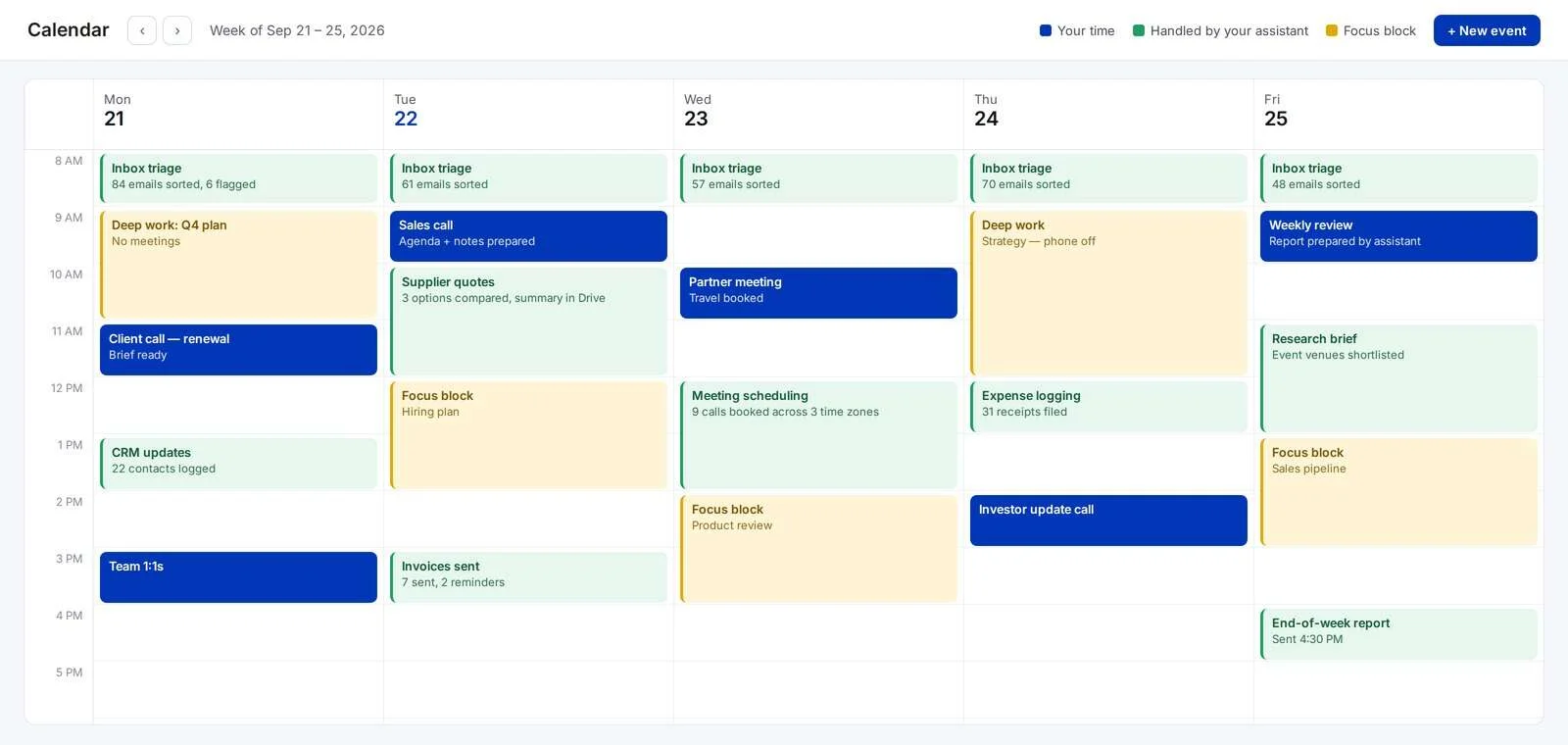
Weekly calendar where inbox triage, scheduling, invoicing and research are handled by an assistant, leaving focus blocks for the owner
The Bottleneck

When everything goes through you, everything waits on you

Most owners don't run out of ideas. They run out of hours — because every email, booking, invoice and follow-up still crosses their desk.

Entrepreneurs spend more than a third of their work week on admin.

Logging expenses, research, scheduling, invoicing and data entry top the list — the same work a trained assistant handles every day.

Time etc survey of 251 US entrepreneurs, 2023

Your inbox runs your day

You start with a plan and end up answering whatever arrived last. The work that grows the business gets pushed to the evening.

Things slip through the cracks

Follow-ups, renewals and reminders live in your head. On a busy week, they're the first things to go — and the most expensive to miss.

Delegating feels slower than doing it

Explaining a task takes time you don't have, so it stays with you. The pile grows, and the cycle repeats.

What Your Assistant Handles

The work that eats your week, handled every day

Done inside your own accounts, following the rules you set — so nothing about how you work has to change.

01 Inbox & Communication

  • Sorted, answered and filed daily, so you open a clear inbox
  • Only what genuinely needs you gets flagged
  • Replies drafted in your tone, sent once you've approved the style

02 Calendar & Scheduling

  • Meetings booked across time zones without the back-and-forth
  • Focus time protected from last-minute requests
  • Agendas and briefing notes ready before every call

03 CRM & Data

  • Calls, contacts and deal notes logged the same day
  • Pipelines and lists kept clean and up to date
  • Simple weekly reports pulled for your review

04 Research & Documents

  • Supplier, venue and vendor research with a clear recommendation
  • Reports, decks and proposals formatted and proofread
  • Files organised so anyone on your team can find them

05 Finance Admin

  • Invoices sent and payment reminders scheduled
  • Expenses and receipts logged as they come in
  • Coordination with your bookkeeper or our Bookkeeping team

06 Operations & Coordination

  • Orders, suppliers and deliveries tracked to completion
  • Travel and events researched and booked
  • Customer follow-ups and reminders sent on time
What Makes a Good Assistant

Hired for judgement. Trained to communicate.

Ask anyone who has worked with an assistant and you'll hear the same thing: skills matter, but reliability and communication decide whether it works. So that's what we hire and train for.
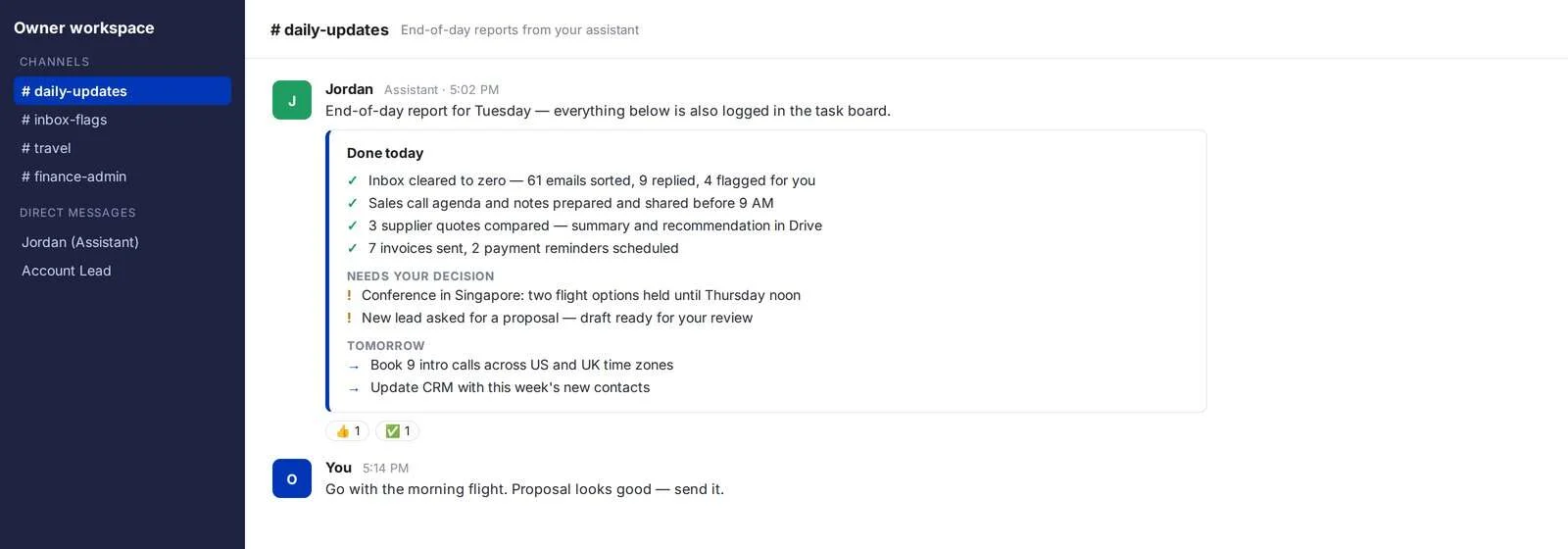
  • Proactive updates. An end-of-day report, every day: what's done, what needs you, what's next.
  • Sound judgement. Written rules on what to handle and what to escalate, so you aren't asked about everything.
  • Reliability. Deadlines tracked on a shared board, and a trained backup when your assistant is away.
  • Discretion. Access shared through a password manager, never in chat, with only the permissions the role needs.
End-of-day report from an assistant listing completed tasks, decisions needed and tomorrow's plan
Why a Managed Assistant

The reliability of a hire, without the hiring

The three ways owners usually get admin off their plate, side by side.

Hiring locally, a freelance marketplace and a His Word assistant compared
ConsiderationHiring locallyFreelance marketplaceHis Word assistant
Getting startedWeeks of recruiting and onboardingFast, but you do all the vettingShortlisted and onboarded for you
CostFull salary, benefits and office overheadLower rates, varying qualityOffshore cost, without recruiting or payroll admin
When they're awayYou cover the workThe work stopsA trained backup steps in
ProcessUp to you to writeUp to you to writeA playbook we build with you
OversightYou manage themYou manage themA His Word lead checks quality
If it isn't a fitStart recruiting againStart searching againWe handle the change
How Delegation Works

Everything we take on gets written down

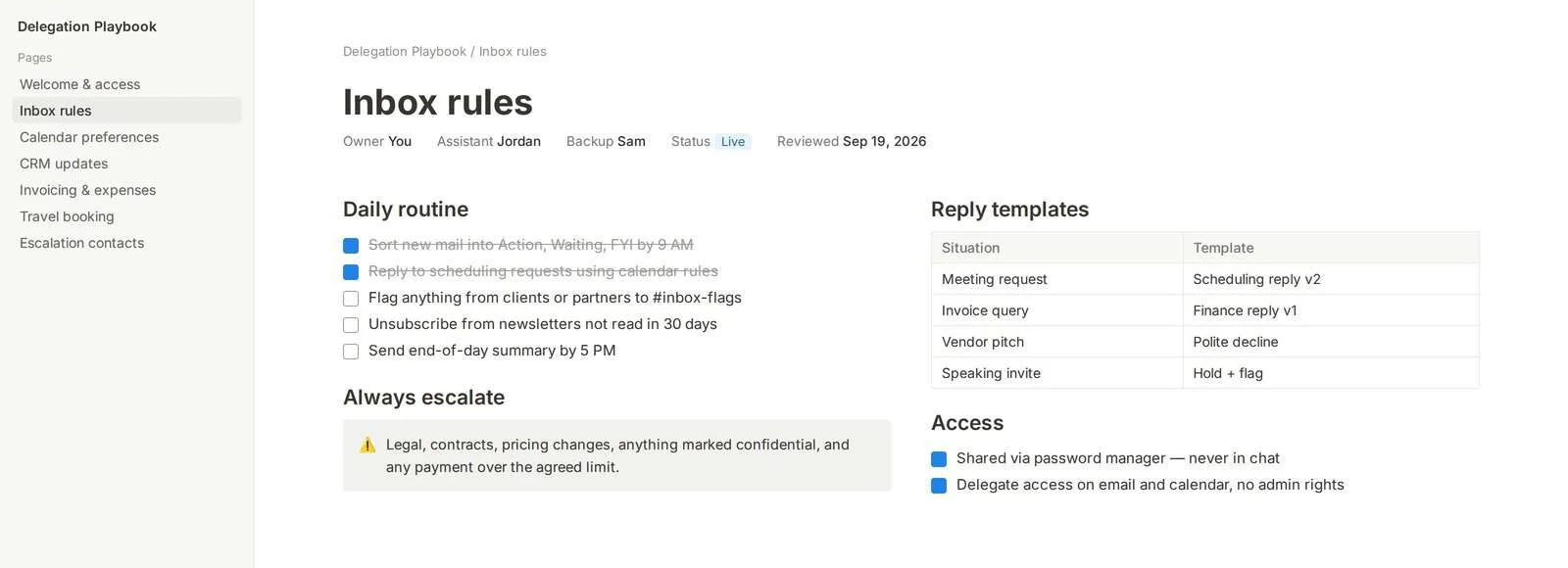
Onboarding starts by building your delegation playbook: inbox rules, calendar preferences, reply templates, escalation contacts and access. Your assistant works from it, your backup can pick it up on day one, and you only explain things once.
  • You set the rules. What gets handled, what gets flagged, and what never leaves your desk.
  • It gets sharper every week. Each new question becomes a line in the playbook, not a repeat conversation.
Delegation playbook page with daily inbox routine, escalation rules, reply templates and access settings
Tools & Platforms

Working inside the tools you already use

Your assistant joins your existing accounts with delegate access — no new systems, no migration.

Email & Calendar
Google WorkspaceMicrosoft 365CalendlyZoom
Tasks & Team
AsanaTrelloNotionSlack
CRM
HubSpotGoHighLevel
Files & Access
Google DriveOneDrivePassword managers
Client Value

Your day starts with a clear inbox, a prepared calendar and a report of what's already done.

Who This Is For

Built for people whose time is the business

Founders & CEOs

Still running the inbox and calendar alongside the company, and ready to spend those hours on sales, hiring and strategy instead.

Agency & consultancy owners

Billing for expertise while losing hours to scheduling, proposals and client admin that someone else could run.

Busy operators

E-commerce, real estate and professional services teams where orders, bookings and follow-ups pile up faster than anyone can clear them.

How It Works

We map your week before we take it on.

01

Audit

A walk through your inbox, calendar and recurring tasks to find the hours you can hand off first, and agree what stays with you.

02

Plan

We shortlist an assistant for your needs and build the playbook, access and reporting together, with a trained backup briefed from day one.

03

Run

Your assistant works your hours and reports every day, while a His Word lead reviews quality and handles anything that needs to change.

FAQ

Common questions about working with a virtual assistant

What should I hand over first?
Start with work that's frequent and follows clear rules: inbox sorting, scheduling, data entry and invoice reminders. We map it with you on the first call, so your assistant starts with the tasks that free up the most time.
Is it safe to give an assistant access to my email and accounts?
Access is shared through a password manager, never in chat, and set to delegate-level permissions. You decide what's in scope, and anything confidential follows written escalation rules in your playbook.
What happens when my assistant is sick or on leave?
A trained backup already knows your playbook and steps in, so the work doesn't stop and you don't have to explain anything twice.
Will my assistant work in my time zone?
Yes. Schedules are set around your working hours, including US, UK and Australian time zones.
How is this different from hiring a freelancer?
A freelancer is one person you vet, train and manage on your own. A His Word assistant comes shortlisted and trained, works from a documented playbook, has a backup, and is overseen by a His Word lead.
Can my assistant take on more over time?
Yes. As trust builds, assistants often grow into customer follow-ups, appointment setting or CRM management — and you can add specialists from our other services under the same account.
Get Started

Let's find the first hours to hand off.

A 30-minute call to map what's on your plate, what can move this month, and what your assistant would own first.