
 Keap & Infusionsoft Support
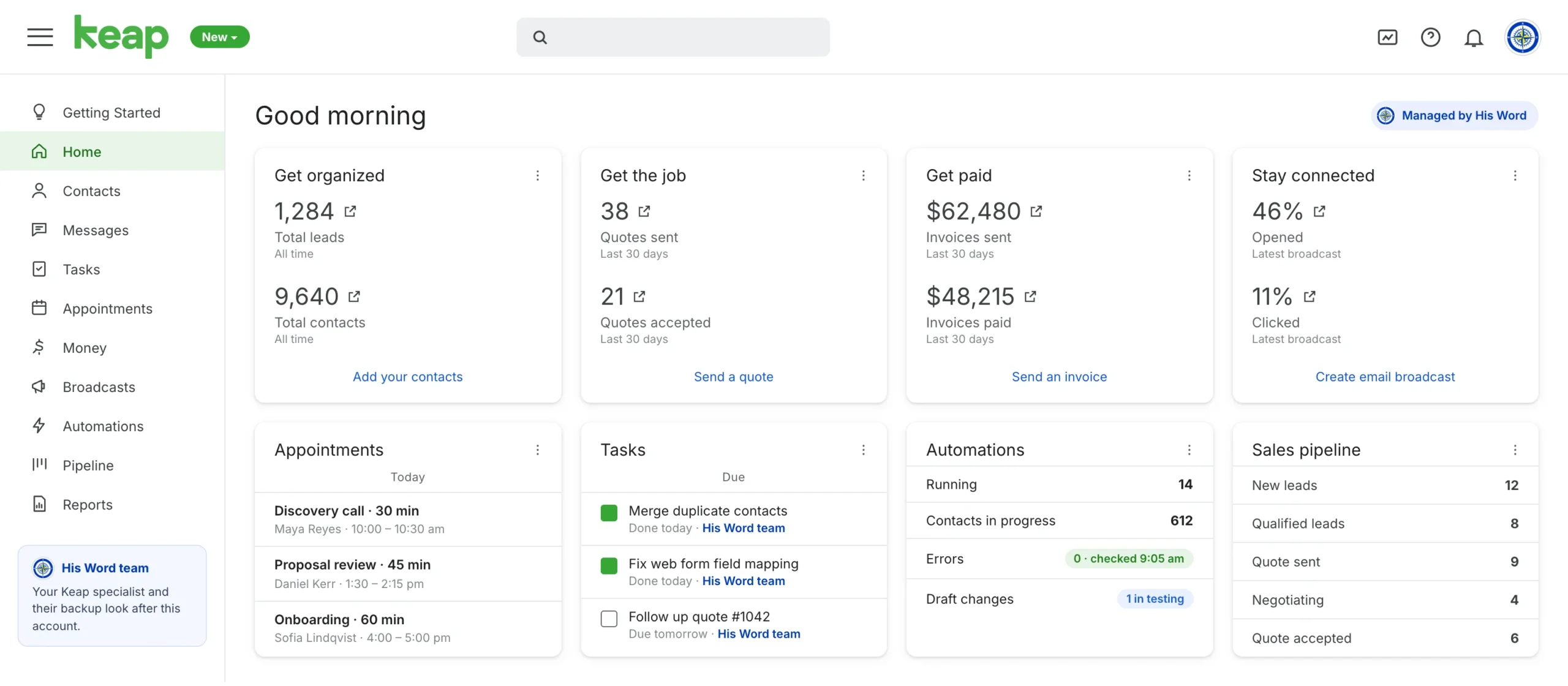
A trained His Word team manages your Keap account, formerly Infusionsoft: clean contacts, working automations, quotes and invoices that go out on time, and a pipeline you can trust, without pulling you into the platform every day.

formerly Infusionsoft
We work in the current Keap plans and in older Infusionsoft accounts.
Contacts, automations, pipeline, quotes, invoices, payments and reports.
From tidying a messy database to building new automations.
Keap and Infusionsoft are trademarks of their respective owner. His Word Business Support Services Inc. is an independent service provider and is not affiliated with or endorsed by Keap.
Keap puts your contacts, follow-up, quotes, invoices and payments in one place. When nobody has time to look after it, small problems pile up quietly.
Years of imports and one-off campaigns leave hundreds of tags and duplicate contacts.
A changed form or an expired connection stops a sequence, and nobody notices until leads go cold.
A form fill lands at night and the first follow-up goes out two days later, if at all.
Deals sit in stages they left weeks ago, so the forecast is a guess rather than a number.
Declined cards sit in a report nobody opens, and recurring revenue slips away.
The only person who understands the campaigns is on leave, and so is your follow-up.
Get these right and the account works for you. Get them wrong and you’re paying for a very expensive address book.
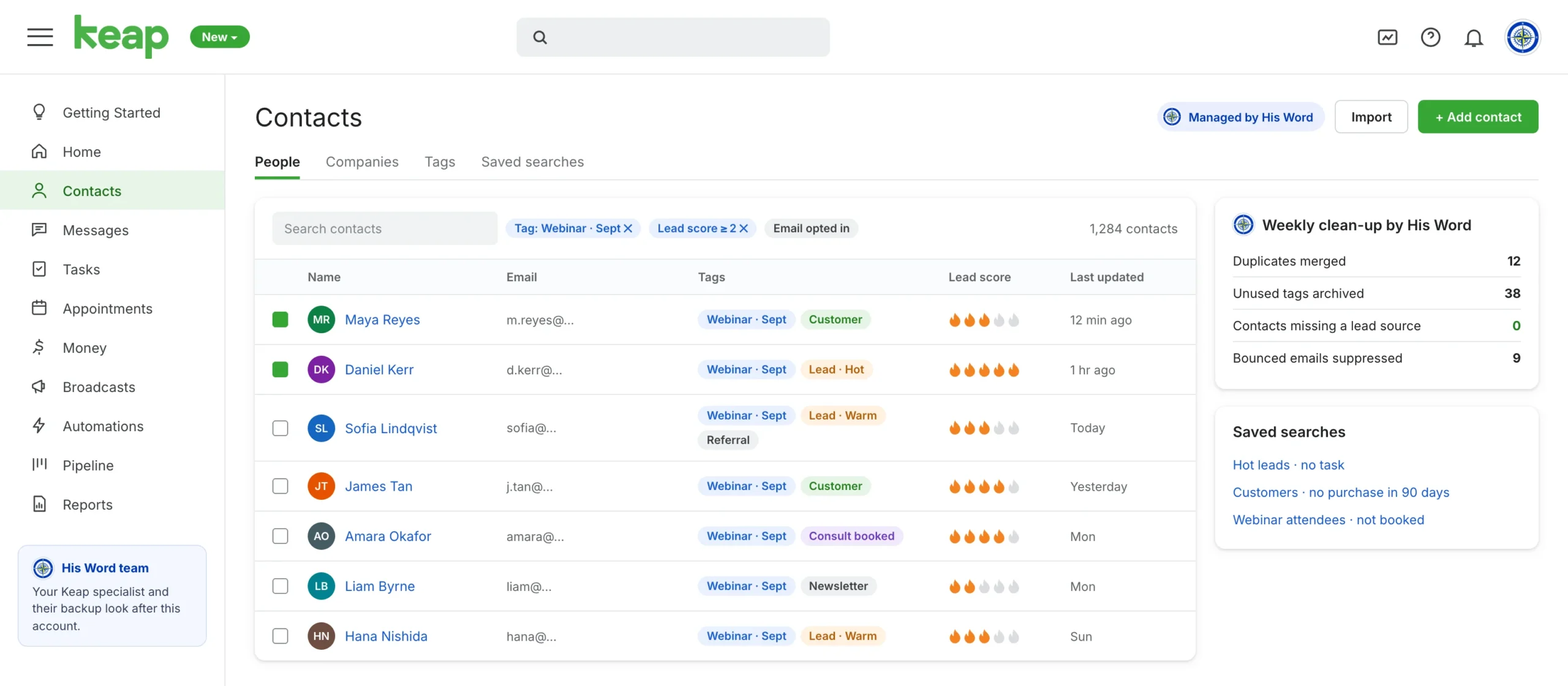
Keap runs on tags. We keep them tidy, merge duplicates and tune lead scoring, so every list and automation starts from clean data.
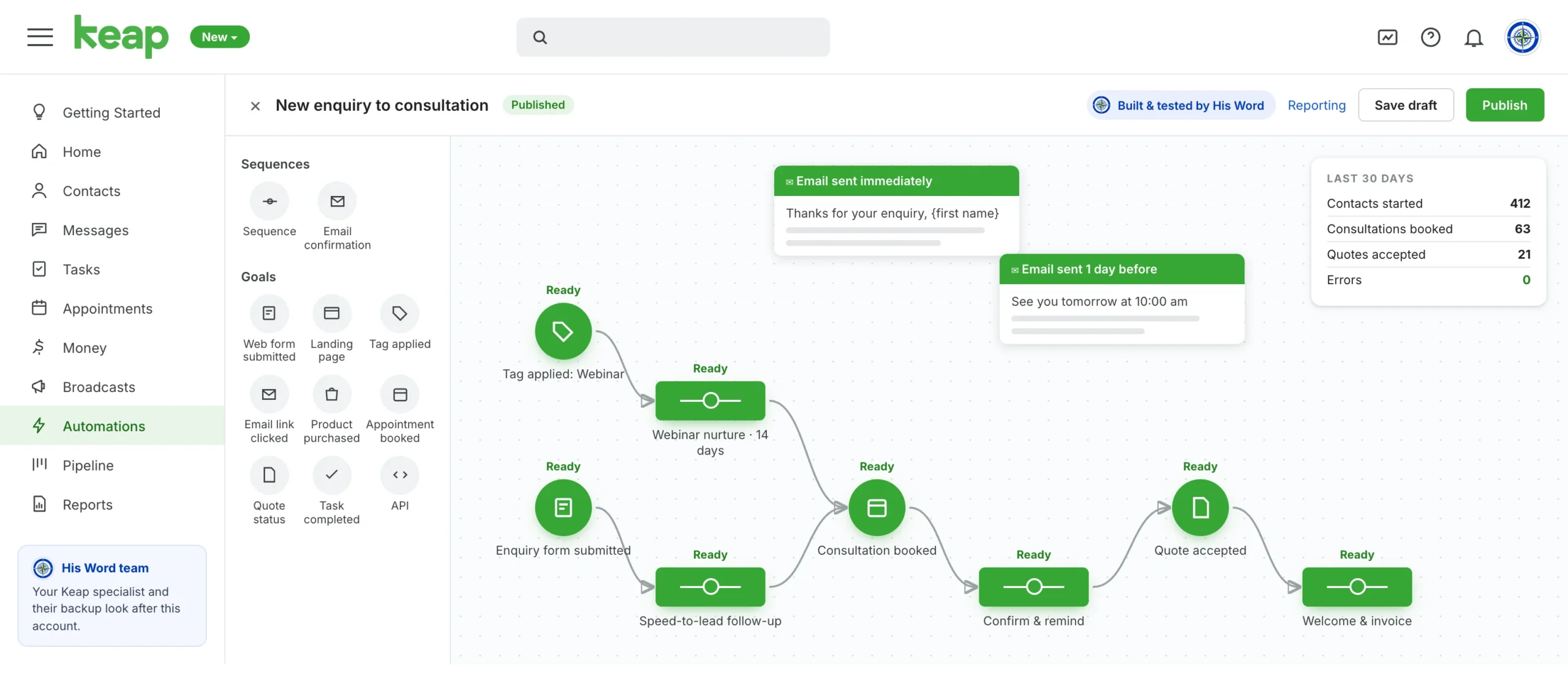
Goals and sequences in Keap’s drag-and-drop Automation Builder (Campaign Builder in Max Classic), mapped to how you sell and tested before they reach a real contact.
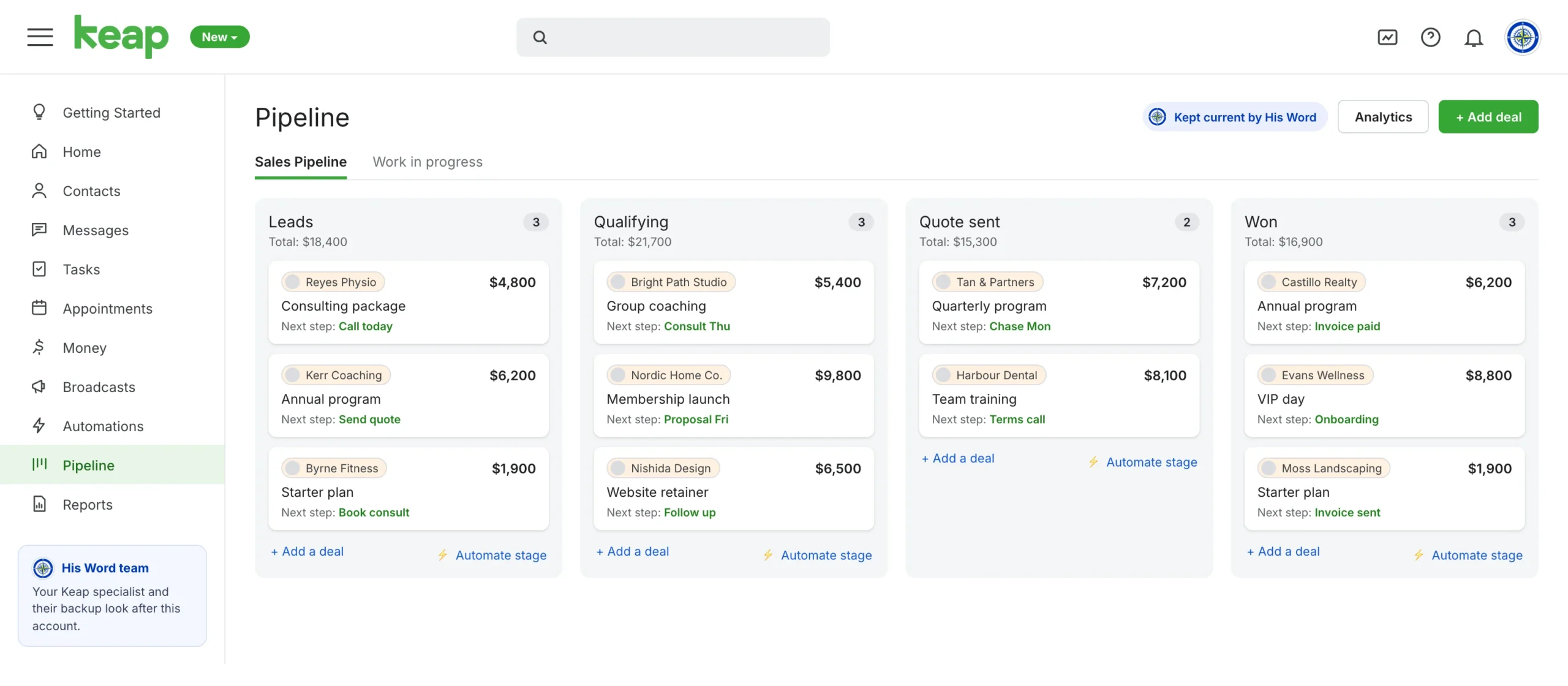
Stages that match your sales steps, a next step on every deal, and stage automations that send the right email the moment a deal moves.
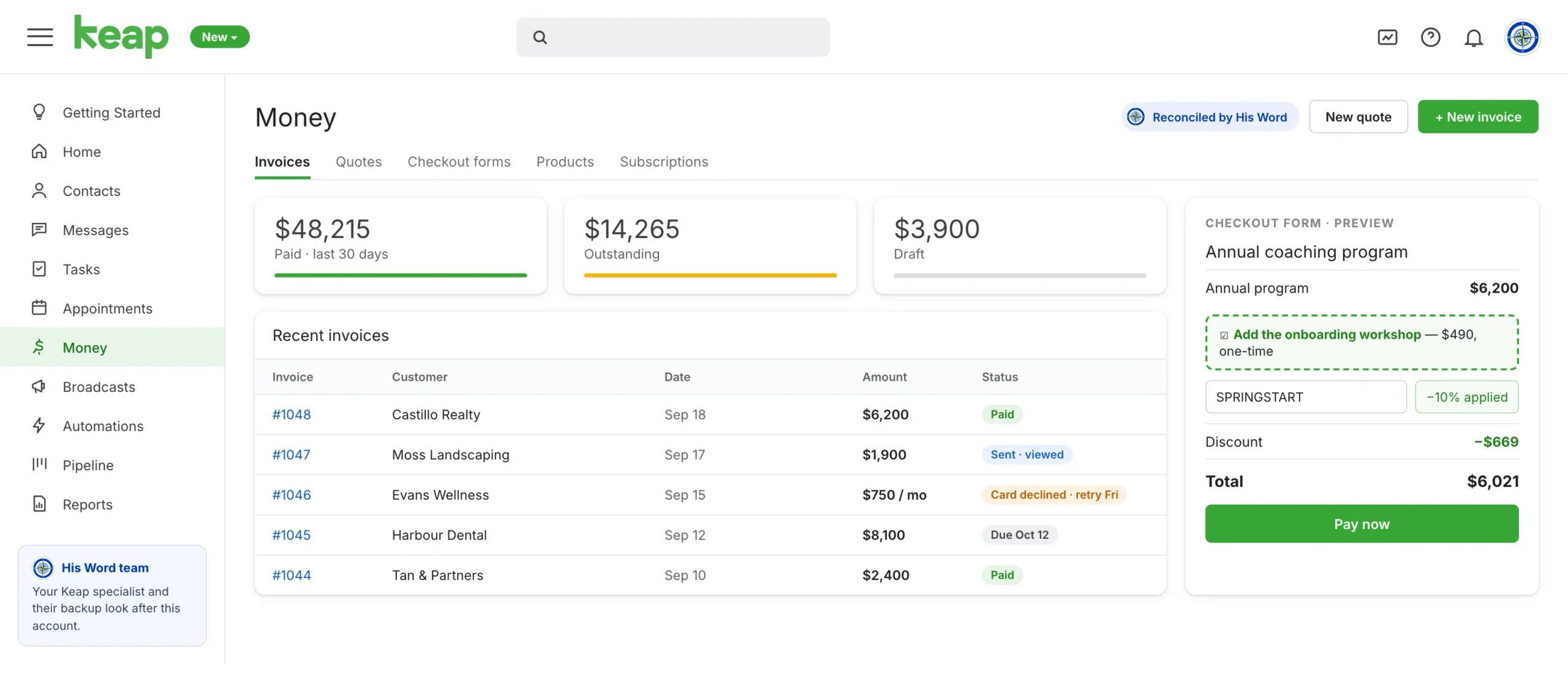
This is where Keap stands apart: quotes that turn into invoices, recurring billing and checkout forms with order bumps and promo codes, all tied to the contact record.
Both automate follow-up, but they are built for different jobs. We have trained specialists for each, so we’ll tell you honestly which fits.

Tags and goals drive live automations, so the team follows the same routine on every account.
Your account is reviewed and written up before anything changes.
New automations run on sample contacts before they reach real ones.
The team works in your account, with access you set and can remove.
A His Word team lead checks the work, and a trained backup covers leave.
Your team works in your own Keap account and connected apps, with the access you set. Nothing moves to a new system.
Your Keap account stays clean, your automations keep running, and every lead gets followed up on time.
We review your contacts, tags, automations and integrations, and agree what the team handles first.
We select your specialist and their backup, set them up in your account, and fix the most urgent issues.
Your account is looked after week by week, new automations go live on schedule, and a His Word lead checks quality.
Memberships, launches and email sequences kept running behind the scenes.
Leads, appointments and follow-up handled so no enquiry slips through.
Extra trained hands for client builds and upkeep, working to your standards.
Older accounts cleaned up and brought in line with how you sell today.
Yes. Infusionsoft was renamed Keap, and the original platform is now called Keap Max Classic. Our specialists work in the current Keap plans and in older Infusionsoft accounts.
Yes. We start by reviewing what’s already in your account and documenting how it works, then repair or rebuild the campaigns that have stopped doing their job.
Yes. We merge duplicates, tidy tags and agree naming rules so your segments stay reliable. Changes are agreed with you first, because tags often trigger live automations.
Keap is built for small businesses selling their own services and products, with quotes, invoices, checkout forms and payments alongside the CRM. GoHighLevel is built for agencies and multi-location teams, with sub-accounts, white-label and funnels. We support both.
Yes. The team works with Stripe, PayPal, Zapier, PlusThis, Memberium and WooCommerce, alongside Keap’s own connections.
Your team works only inside your systems, on accounts you control, with access set per person. You can review or remove access at any time, and it’s removed the day someone leaves your account.
It starts with a discovery call. We scope the role, shortlist trained candidates and set them up in your account. Timing depends on the state of your account and how much support you need.
A 30-minute call to look at your account, what’s not working and what the team would take on first.